Flows
Every client, goal or project at its stage
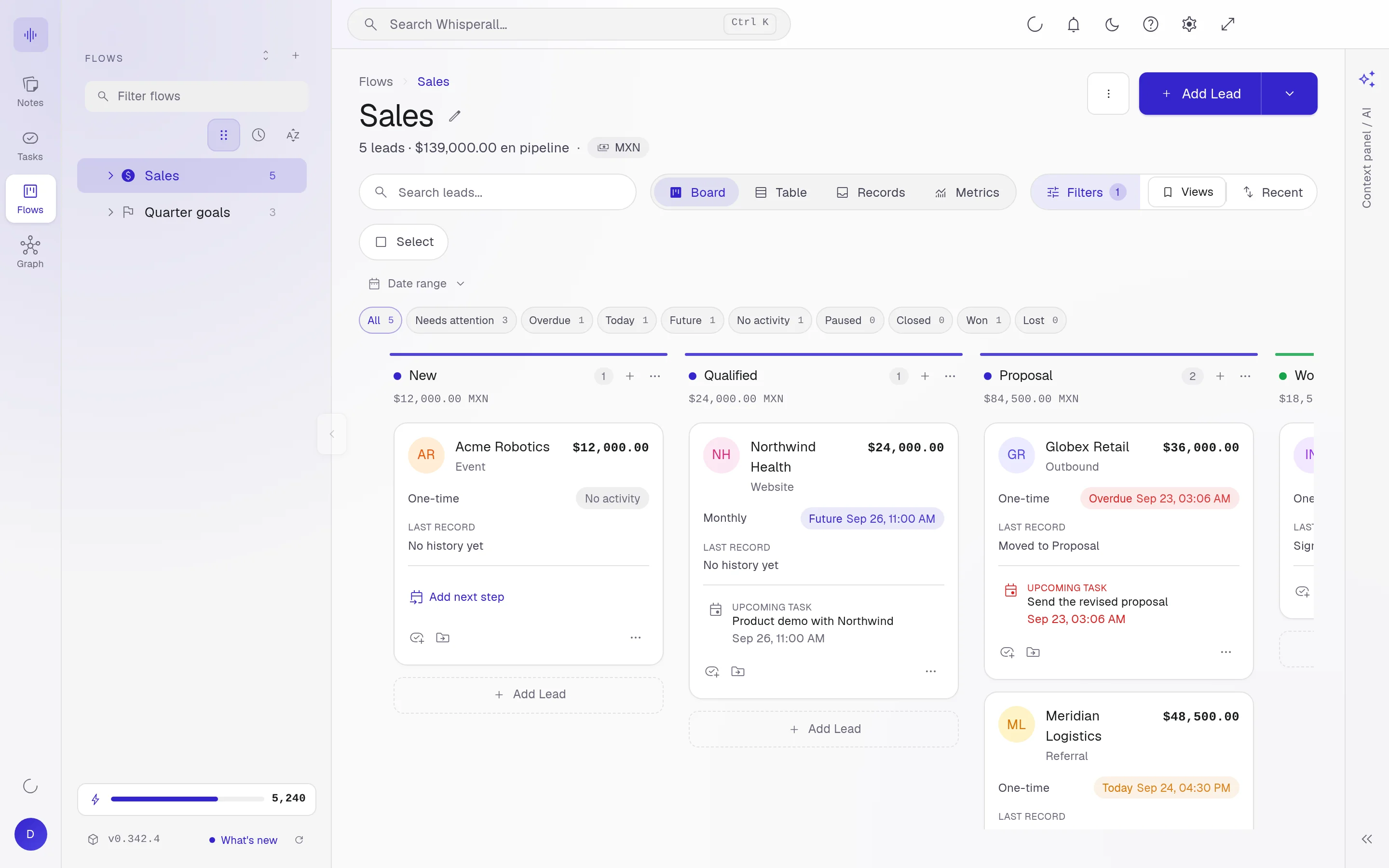
Flows are stage boards for work that moves forward: a deal, a quarterly goal, a project or a ticket. Each card carries its notes, its tasks and its properties.
Free to start · No card · Windows, macOS and Linux

How it works
Pick a template
Sales, Goals, Projects, Resolution or Cycle. Each comes with its stages and fields.
Add cards
Each card has properties to fill in and moves stage by hand or with the flow automations.
Link the work
Attach notes and tasks to each card. The assistant can also create and move them for you.
Five templates, one engine
Sales for your clients, Goals for your progress, Projects for production, Resolution for tickets and Cycle for follow-ups.
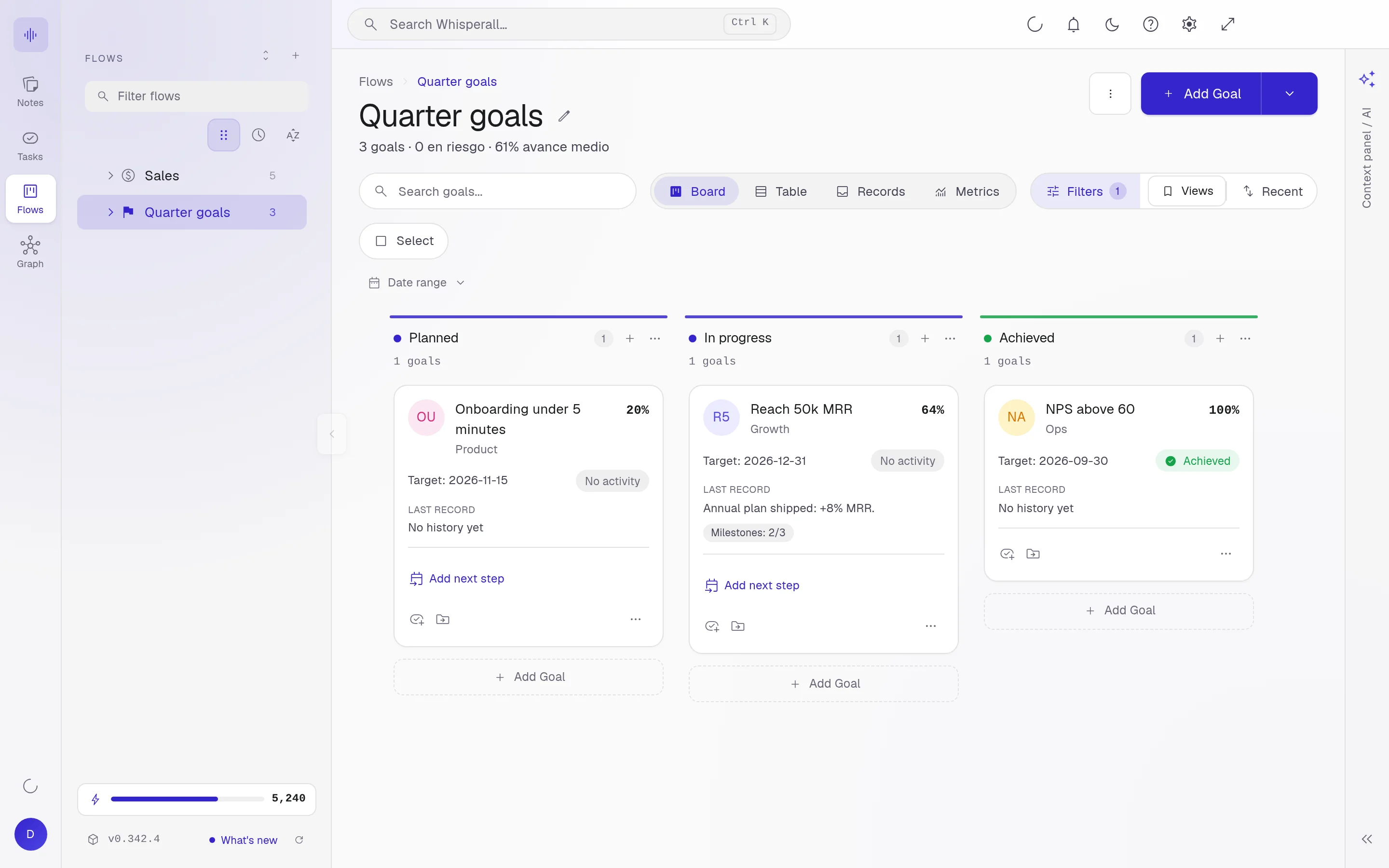
Four views of the same flow
Board, table, records and metrics. Filter, save your views and come back to them anytime.
From words to work
What you dictate or say in a meeting can become a card that moves through stages, and you can link the source note to it.
Frequently asked questions
Sales is one of the five templates. Flows work for any stage-based work, not just clients.
Only if you want them to. You move them by hand, ask the assistant, or let the flow automations do it. Some templates come with automations on, and you set them up in the flow settings.
Flows are free forever. Only AI uses credits.
Your notes, your files, the AI you choose. You decide.
Download Whisperall free. Your notes are free forever and AI is paid with credits, only when you use it.
Windows · macOS · Linux · Android and iOS on the way

 Your AI, inside your notes