Live meeting translation
Translate your meetings live, turn by turn
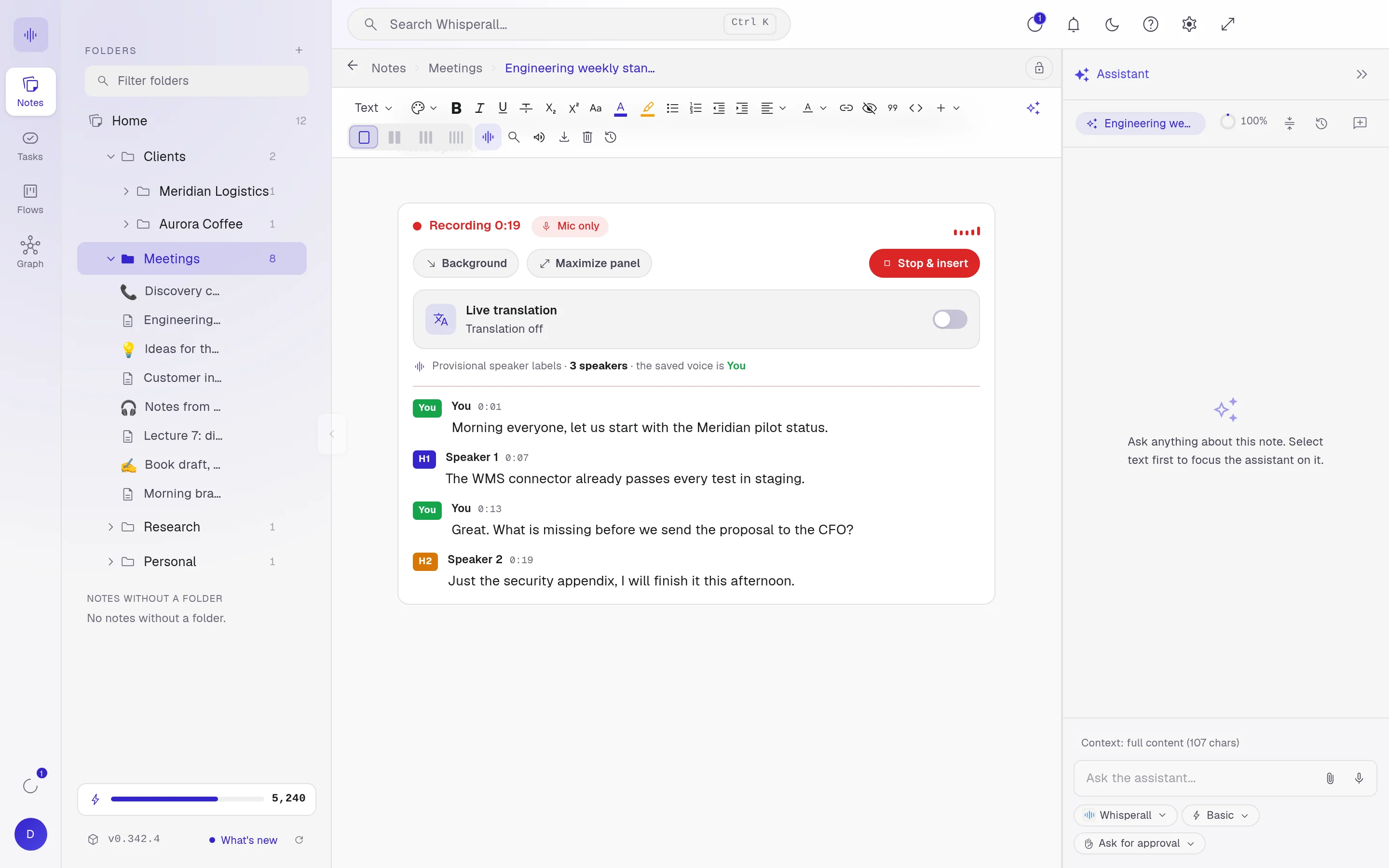
Whisperall transcribes the call from your computer and translates each speaker turn as it comes, into the language you pick from 34. To reply, dictate in your language and Whisperall writes it in theirs. It works with Zoom, Meet, Teams or any call you can hear, with no bot.
Free to start · No card · Windows, macOS and Linux
How it works
Start recording
Choose Virtual for a video call, or In person for a meeting in the same room.
Turn on translation
Switch on live translation and pick your language. Each turn appears translated next to the original.
Reply in your language
Dictate your answer in the call’s chat and Whisperall pastes it already translated into their language.
The translation sits next to the original
Each speaker turn is translated as soon as it’s transcribed and shown next to what was said, with who said it and when. When a phrase sounds off, the source is right there to check.

Read it in any of 34 languages
Arabic, Bulgarian, Chinese (simplified and traditional), Czech, Danish, Dutch, English, Estonian, Finnish, French, German, Greek, Hebrew, Hungarian, Indonesian, Italian, Japanese, Korean, Latvian, Lithuanian, Norwegian, Polish, Portuguese (Brazil and Portugal), Romanian, Russian, Slovak, Slovenian, Spanish, Swedish, Turkish, Ukrainian and Vietnamese.
Reply without leaving the call
Turn on translation for dictation in Settings. You talk in your language and Whisperall pastes your message in theirs, in the call’s chat or any other app. Replies translate into 12 languages: English, Spanish, French, German, Portuguese, Italian, Japanese, Chinese, Russian, Korean, Dutch and Polish.
The meeting stays in your notes
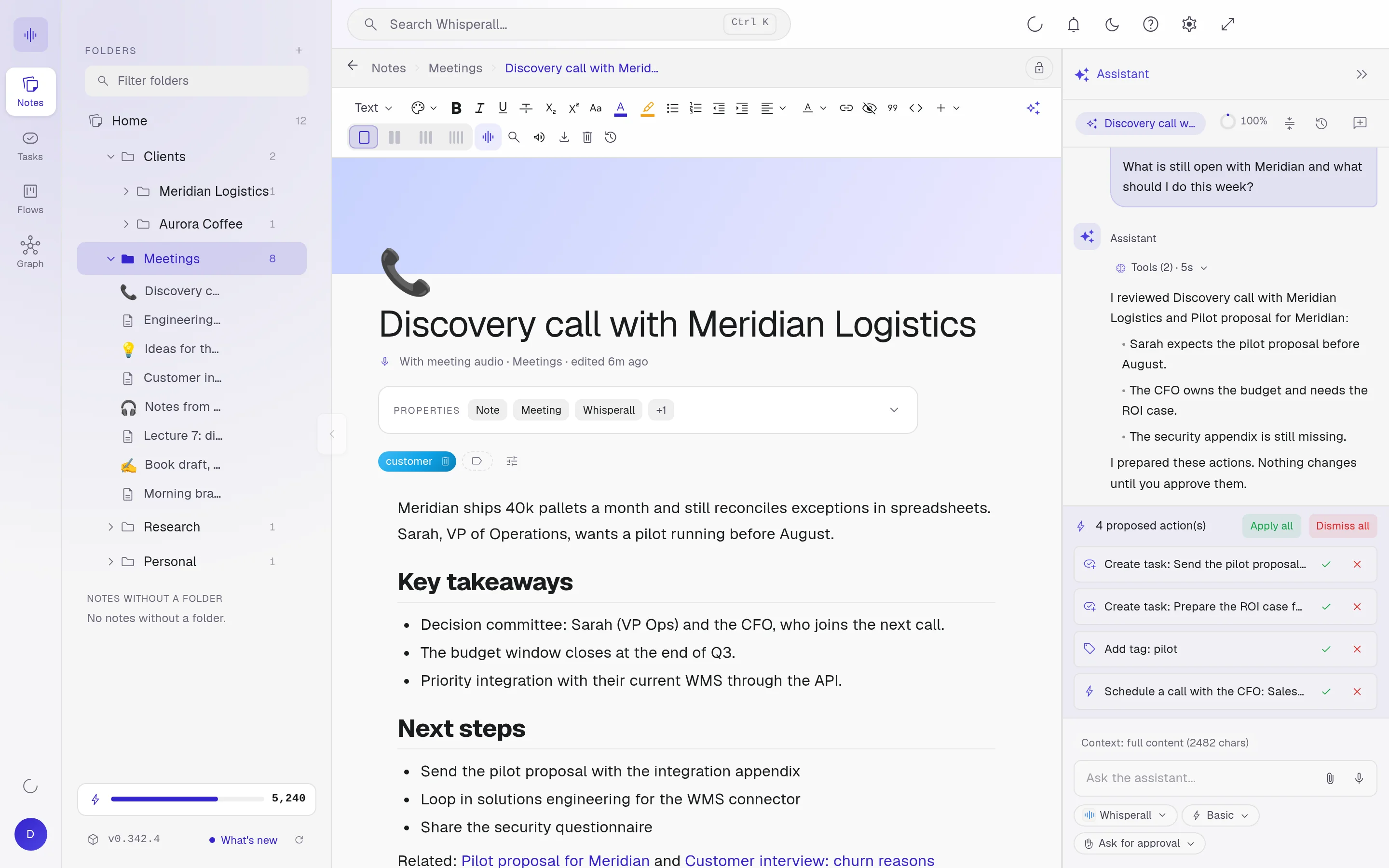
When the call ends, the transcript is a regular note. Search it, link it to a client or a project, and ask the assistant for the next steps. It proposes tasks, you approve them.
Frequently asked questions
Yes. Whisperall translates what you hear on your computer, so it works with any call without joining it or installing anything in it. You start it yourself, whenever you want.
The Whisperall app on Windows, macOS with Apple Silicon or Linux. A Mac needs macOS 15 or later to capture the call’s audio, and Linux needs PulseAudio or PipeWire.
No, it only appears in your Whisperall. If you want them to read something in their language, dictate your reply and it’s pasted in the chat already translated.
Yes. The In person mode records your microphone and translates each turn the same way. Speaker labels are provisional while you record and get refined when it ends.
Transcription and translation use credits from the same pool. The $9 Starter plan includes 2,000 credits a month, about 3.7 hours of video calls, and translation uses more credits on top, based on how much is said.
Simple enough for anyone. Powerful enough for you.
Download Whisperall free and keep your notebook forever. AI is paid with credits, only when you use it.
Windows · macOS · Linux · Android and iOS on the way

 Your AI work notebook