Graph
Everything you know, connected on one map
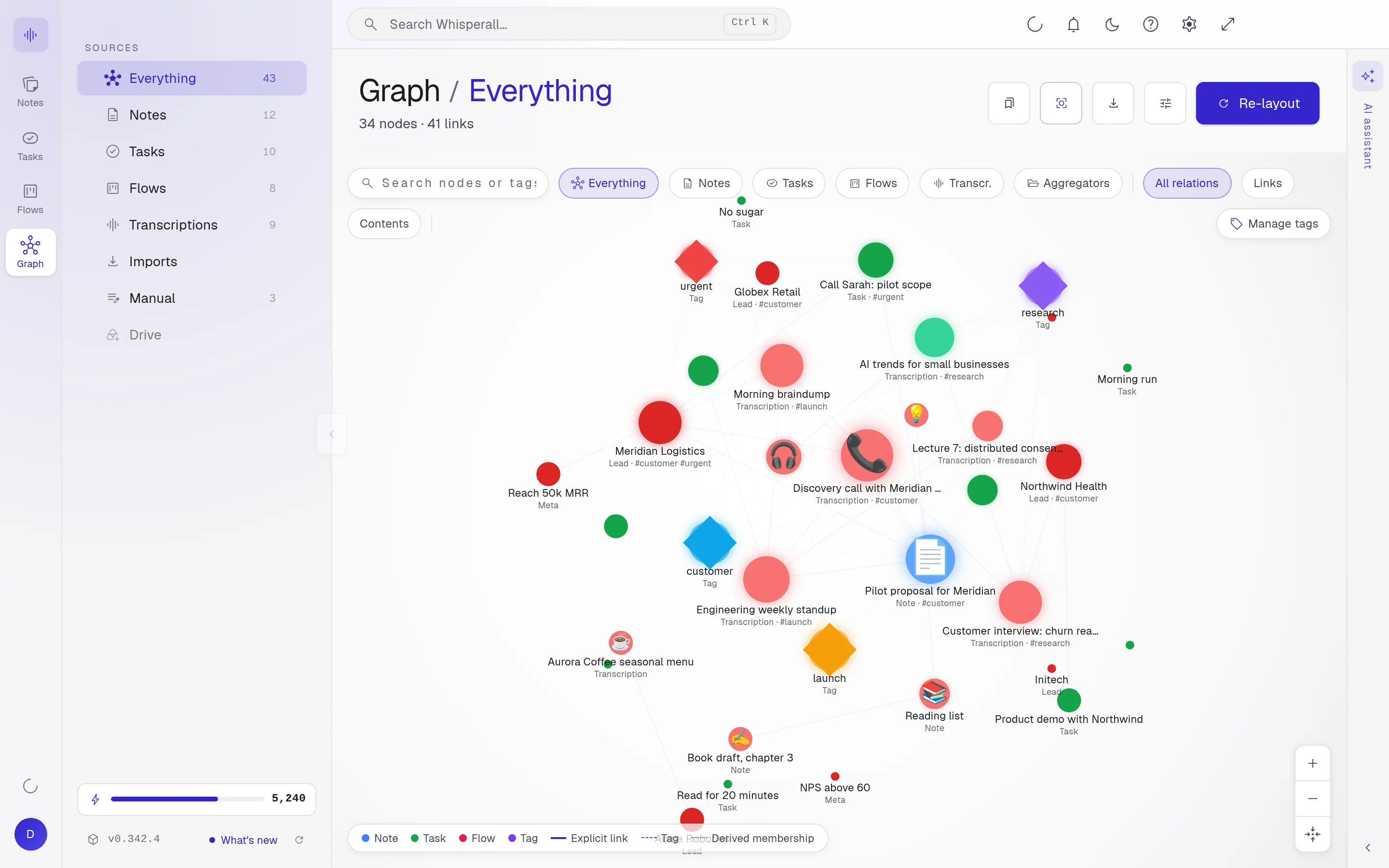
The graph draws how your notes, tasks, flows and tags relate. Every [[wikilink]] you write becomes a line, and the nodes with the most connections glow brighter.
Free to start · No card · Windows, macOS and Linux

How it works
Link as you write
Type [[ and pick the note. One click on the link takes you there.
Open the graph
Your notes, tasks, flows and tags show up connected, with no sorting on your part.
Save your views
Filter by type or by tag and save the view to come back to it when you need it.
Wikilinks, drawn
Every [[wikilink]] is drawn as a solid line you can follow. Tags show as dotted lines that cross your whole notebook.
- Node brightness by its connections
- Filter by notes, tasks, flows or projects, and by tag
- Your Obsidian vault shows up too
Discover what relates to what
The most connected topics stand out without reading a thing. Click a node to open its detail and jump to the note.
Frequently asked questions
No. The graph shows what already exists in your notebook and the links you write in your notes.
Yes. When you open your vault, your [[wikilinks]] appear in the graph next to the rest of your notebook.
The graph is free forever, like notes, tasks and flows.
Your notes, your files, the AI you choose. You decide.
Download Whisperall free. Your notes are free forever and AI is paid with credits, only when you use it.
Windows · macOS · Linux · Android and iOS on the way

 Your AI, inside your notes