Meeting transcription
Transcribe your meetings live, speaker by speaker
Whisperall listens to your computer’s audio and your microphone, so it works with Zoom, Google Meet, Teams or any call without joining it. Each speaker is separated as they talk, you can translate the conversation live, and the transcript lands in your notes. It runs on Windows, macOS and Linux.
Free to start · No card · Windows, macOS and Linux

How it works
Choose how to record
Virtual records your computer’s audio and your microphone, for video calls. In person records only the microphone, for a meeting in the same room.
Talk as usual
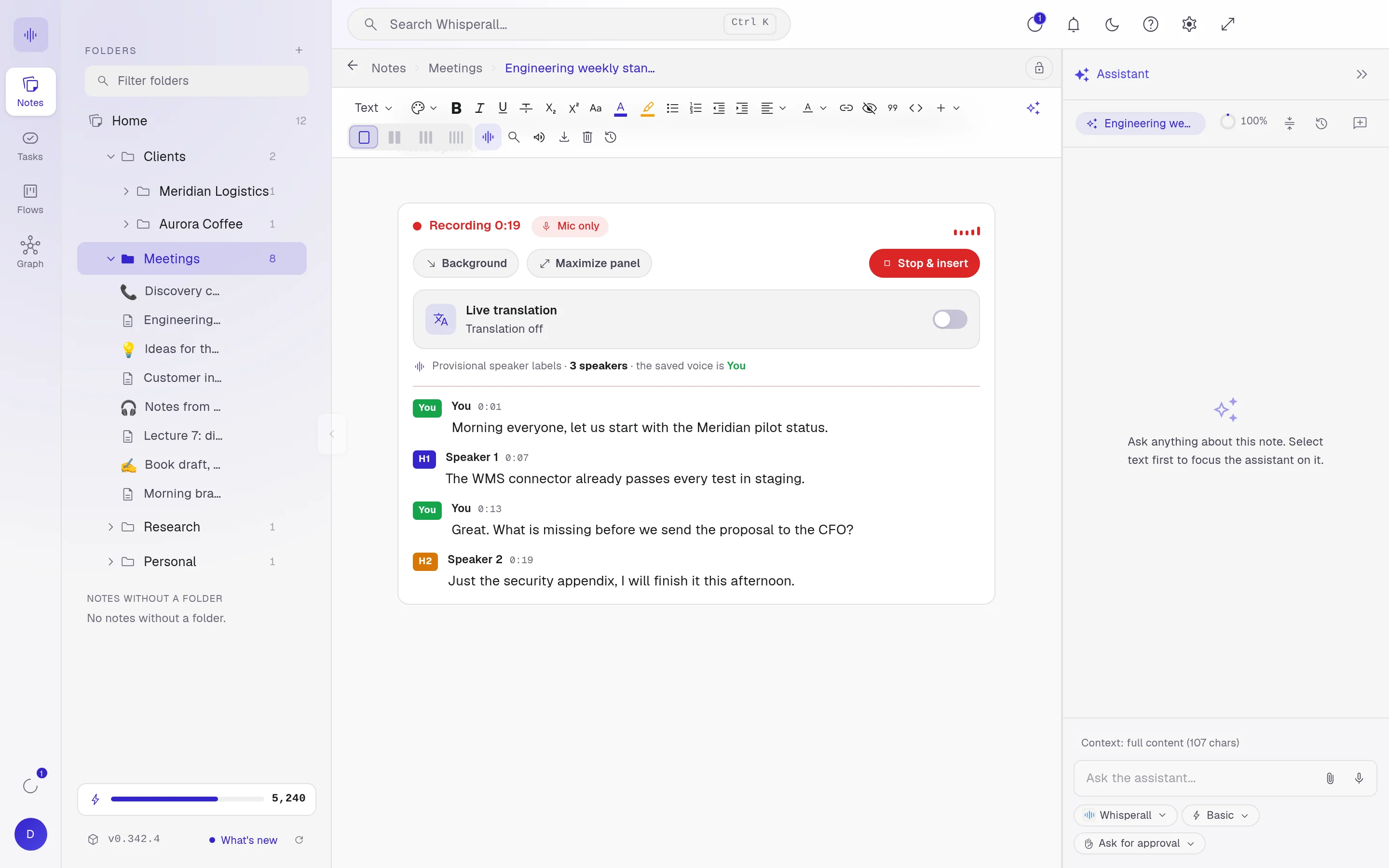
The transcript appears live in your note, with each speaker separated and the time of each turn.
Leave with the next steps
When it ends, ask for a summary with next steps, or ask the assistant anything about the meeting.
Translate the meeting as people talk
If the meeting is in another language, turn on live translation and each speaker turn appears translated next to the original, in the language you pick from 34. To join in, dictate in your language and Whisperall writes it in theirs.
Speakers separated by voice
Whisperall tells voices apart by how they sound, not by the microphone they come from, so Speaker 1, 2 and 3 stay separate even when they share one. Labels appear live, get refined when the meeting ends, and you give them names.
- Each turn shows the minute it started
- Copy the transcript with speaker labels and times
No bot, and Linux too
Whisperall records from your computer, so nobody new joins the call and you don’t depend on the platform or your permissions in it.
- Zoom, Google Meet, Microsoft Teams or any call you hear on your computer
- Webinars, online classes and conferences you join by link
- Windows, macOS on Apple Silicon and Linux
- A Mac needs macOS 15 or later for system audio, and Linux needs PulseAudio or PipeWire
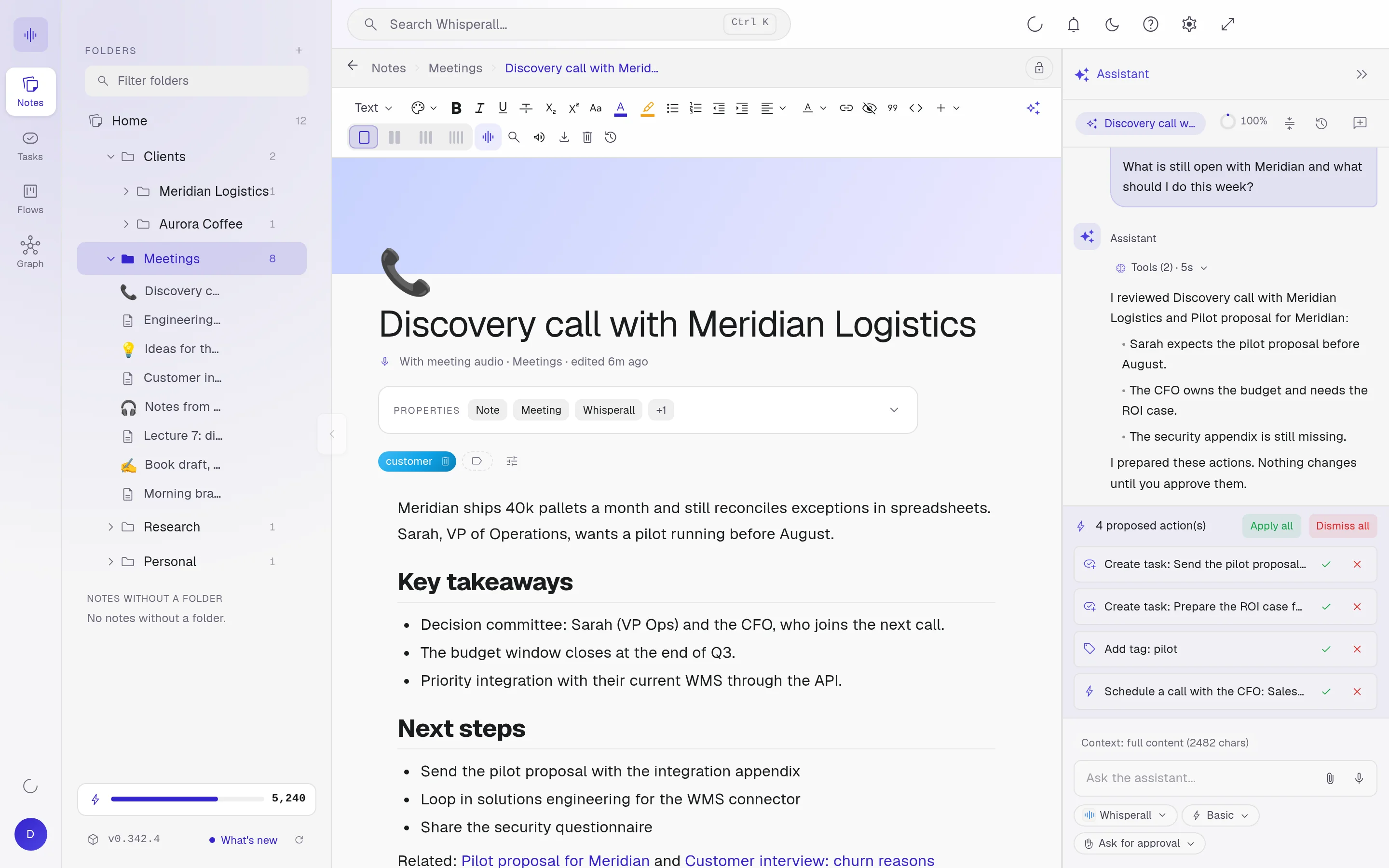
The meeting turns into work
The transcript stays in your notebook as a regular note: edit it, search it and link it to a client or a project.
Ask for a summary with next steps and the assistant turns what was agreed into tasks or cards in a flow. It proposes, you approve each change.
Frequently asked questions
No. Whisperall records what plays on your computer, so it works when you’re a guest. It’s up to you to tell the others and ask for their consent when the law or your company’s rules require it.
Yes, with any video call you can hear on your computer, because it doesn’t connect to the platform. It doesn’t join your meetings on its own or read your calendar. You start the recording.
There’s no length cap. Your credits are the only limit. The $9 Starter plan covers about 3.7 hours of video calls a month and Pro about 14, and an in-person meeting uses about half as many credits.
No, you ask for it. When the meeting ends, request a summary with next steps. On a long meeting it reads the first part of the transcript, so for the rest, select that part and ask the assistant.
Yes. Upload the audio or video, up to 10 hours and 5 GB, and Whisperall transcribes it with each speaker separated. You can also upload batches of up to 500 files.
It’s streamed to the cloud to be transcribed, and the recording stays on your computer, for a week by default, in case you want to transcribe it again.
Simple enough for anyone. Powerful enough for you.
Download Whisperall free and keep your notebook forever. AI is paid with credits, only when you use it.
Windows · macOS · Linux · Android and iOS on the way

 Your AI work notebook