Obsidian vault
Your Obsidian vault, with AI and your notes left in place
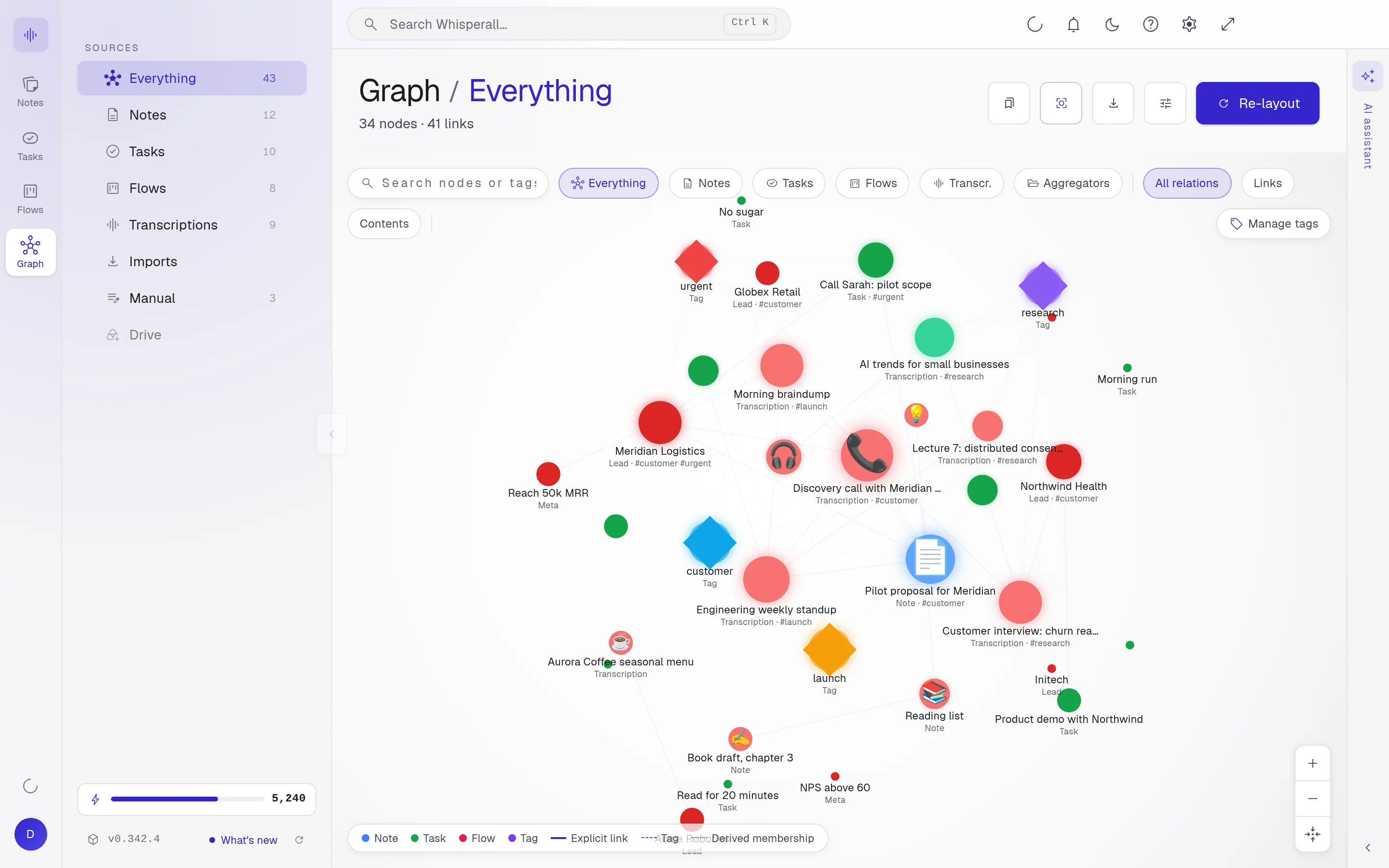
Whisperall opens your vault folder as it is and saves to the same files. It understands your [[wikilinks]], draws them in the graph and adds the assistant, dictation and transcription.
Free to start · No card · Windows, macOS and Linux

How it works
Connect the folder
Pick your vault folder. Whisperall opens it in place, without copying your notes.
Write as usual
Wikilinks, callouts and live preview. What you save goes to the same .md file.
Add the AI
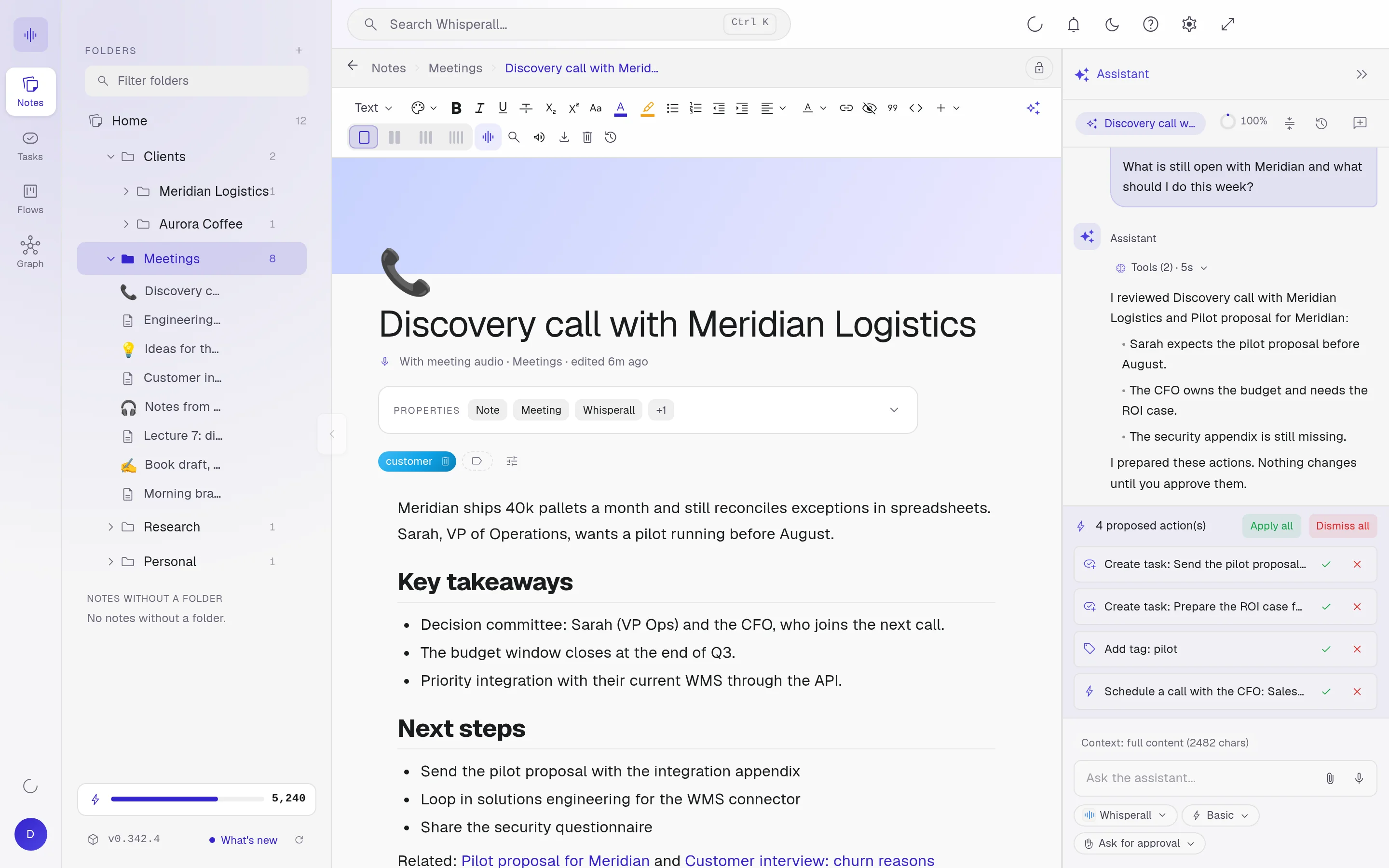
Ask for a summary, dictate at the cursor or transcribe a meeting inside the note.
Your files, where they are
Your notes stay .md files and what you edit is saved to them. You can keep using Obsidian at the same time.
- Opens Markdown, TXT, Word, PDF, EPUB, ODT, HTML and more
- If a note changed on both sides, your save wins and the disk version is backed up
- Your vault files stay on your computer
AI on top of your vault
The assistant reads the open note and opens others in the vault when you ask. It proposes changes you approve one by one.
Frequently asked questions
No. Whisperall is a separate app that opens the same vault folder. You install nothing inside Obsidian.
It only saves to the files you edit. It also creates a .whisperall folder inside the vault for its backups and internal data.
Opening your vault, editing your notes and seeing your graph is free. AI uses credits and the free plan gives you 150 to start.
Your notes, your files, the AI you choose. You decide.
Download Whisperall free. Your notes are free forever and AI is paid with credits, only when you use it.
Windows · macOS · Linux · Android and iOS on the way

 Your AI, inside your notes