Linux
AI notes and voice dictation for Linux
Whisperall comes to Linux as a 64-bit AppImage. Open it once and it installs itself in your home folder, adds itself to the app menu and keeps itself up to date from there, with no sudo.
v0.354.0 · 700 MB · Free plan included. No card required.

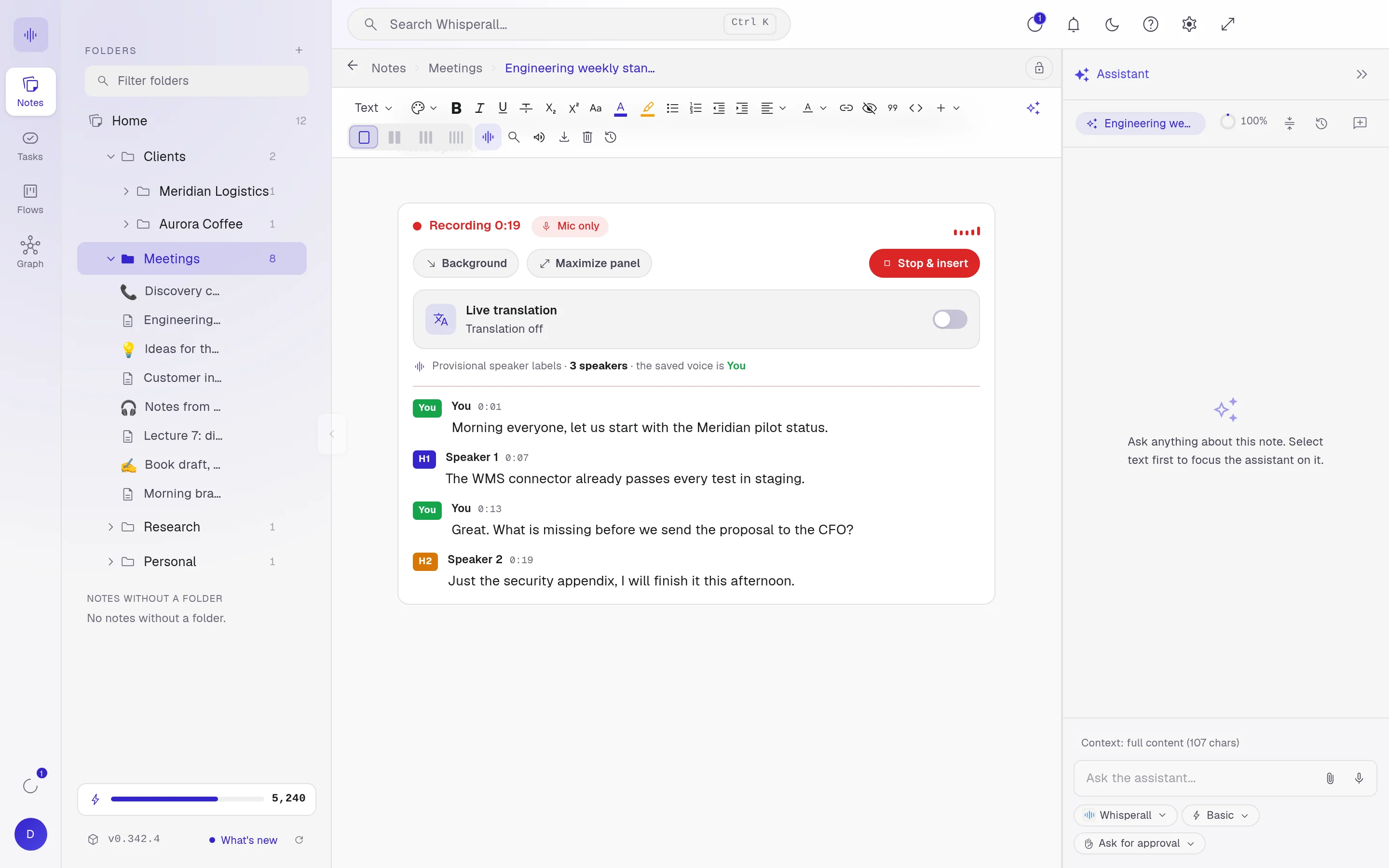
Install it in three steps
Download the AppImage
Get the 64-bit .AppImage from this page. It works on any distribution.
Make it executable
In the file’s properties, tick Allow executing, or run this command in your downloads folder.
chmod +x Whisperall-*.AppImageOpen it once
Double-click it. Whisperall copies itself to ~/.local/share/whisperall, adds itself to the menu and opens. From then on, open it from the menu.
If it does not open: install FUSE 2
The AppImage needs the libfuse.so.2 library the first time you open it. Many distributions already ship it. If it does not open, install your distribution’s package and try again. If you already had it, the command changes nothing.
| Distribution | Package | Command |
|---|---|---|
| Ubuntu 24.04 or later, Linux Mint 22, Pop!_OS 24.04 | libfuse2t64 | sudo apt install libfuse2t64 |
| Ubuntu 22.04, Linux Mint 21, Pop!_OS 22.04 | libfuse2 | sudo apt install libfuse2 |
| Debian 13 | libfuse2t64 | sudo apt install libfuse2t64 |
| Debian 12 | libfuse2 | sudo apt install libfuse2 |
| Fedora | fuse-libs | sudo dnf install fuse fuse-libs |
| Arch Linux, Manjaro, CachyOS, EndeavourOS | fuse2 | sudo pacman -S fuse2 |
| openSUSE | libfuse2 | sudo zypper install libfuse2 |
On Ubuntu 22.04 or later, do not install the fuse package: it can remove system packages. Use only the one in the table.
Your Obsidian vault and your folders, where they live
Connect your Obsidian vault or any folder and Whisperall works on the files on disk, without copying them. Change something from another app and you see it right away.
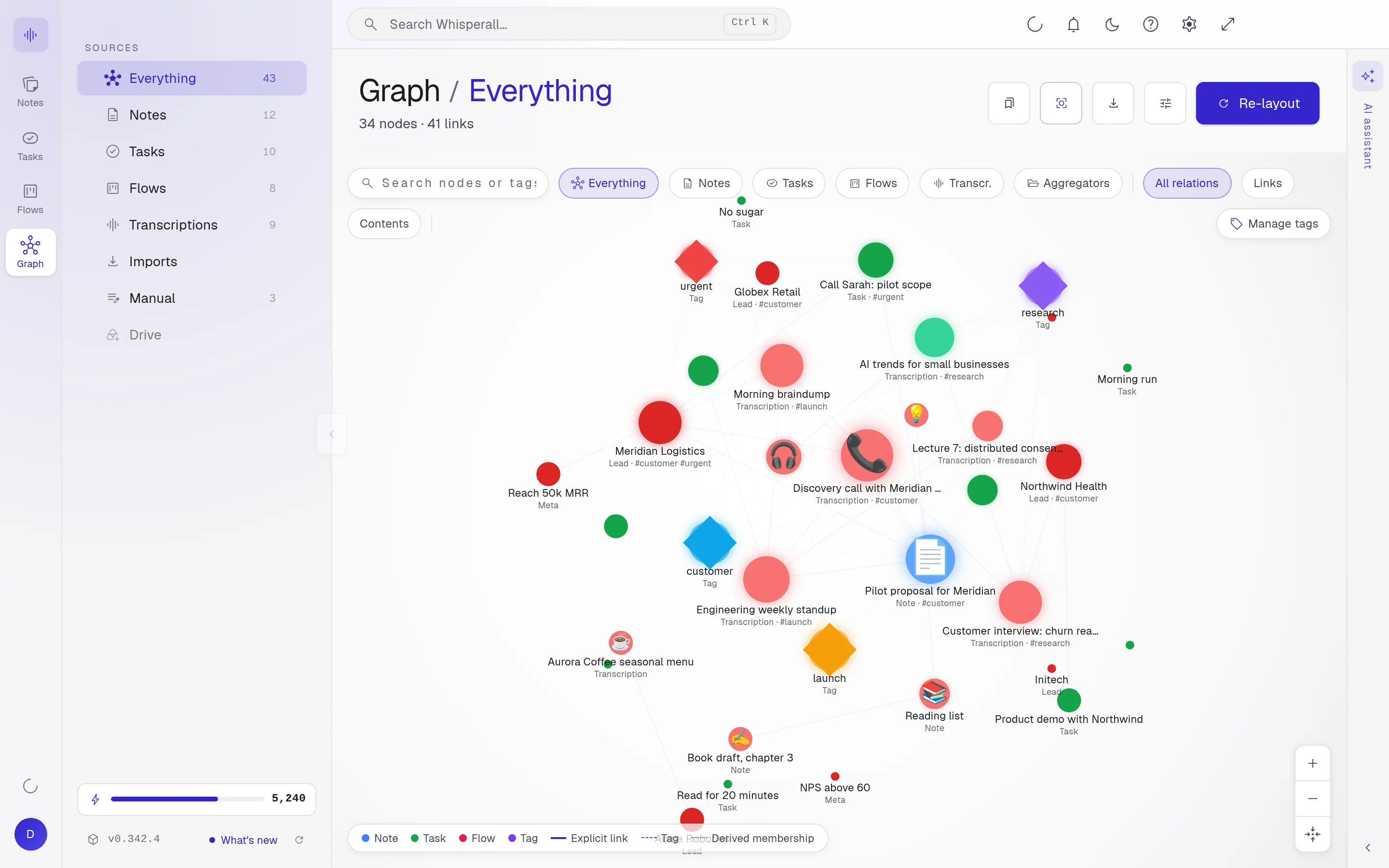
Wikilinks are drawn in the Graph, callouts look the way they do in Obsidian, frontmatter shows up as properties and what you delete goes to the vault’s .trash folder.
Documents you open and edit
The editor works in Markdown and saves back to the file’s own format.
- md and txt
- docx, doc and odt
- html, epub and pages
- pdf, rebuilt when you save
What you import
Besides documents, it turns other files into notes.
- csv, tsv, xlsx and pptx
- png, jpg and webp images, read with OCR
- Whole folders of Markdown, with their images and wikilinks
What you transcribe and export
Upload audio or video of up to 10 hours and 5 GB per file, up to 500 at a time. Or paste a YouTube link or one from another site and the audio is extracted on your computer.
- mp3, wav, m4a, aac, ogg, opus, flac, wma, webm, mp4, mov and mkv
- zip, 7z, rar and tar with audio inside
- Export notes to md, txt, docx or pdf
- Export folders to md, txt or docx with their structure
Dictation and meetings on Linux
Hold Right Ctrl and speak in any app. If your desktop runs Wayland without XWayland, the shortcut is Alt+X. On Wayland, Whisperall pastes with ydotool, your desktop’s remote desktop permission or wtype, and on X11 with xdotool. If none is available, the text stays on the clipboard for you to paste with Ctrl+V.
In meetings it records your microphone and the computer’s audio from the PipeWire or PulseAudio monitor.
Frequently asked questions
Any 64-bit (x64) desktop distribution with FUSE 2. We test it on CachyOS, and the table on this page covers Ubuntu, Debian, Fedora, Arch, Manjaro, Linux Mint, Pop!_OS and openSUSE. There is no ARM build.
Not today. The AppImage works on every distribution and, after the first run, installs itself like a regular app in your home folder.
Not for Whisperall. It installs to ~/.local/share/whisperall and updates there. You only need sudo if your distribution lacks FUSE 2 and you have to install it.
Yes. Whisperall opens on XWayland when your session has it, and the shortcuts work there as on X11. On Wayland without XWayland it uses your desktop’s global shortcuts, which you assign in the system settings.
On its own. It fetches the new version and swaps it in when you restart, without downloading the AppImage again.
Simple enough for anyone. Powerful enough for you.
Download Whisperall free and keep your notebook forever. AI is paid with credits, only when you use it.
Windows · macOS · Linux · Android and iOS on the way

 Your AI work notebook