Tasks
What comes out of your notes, turned into tasks
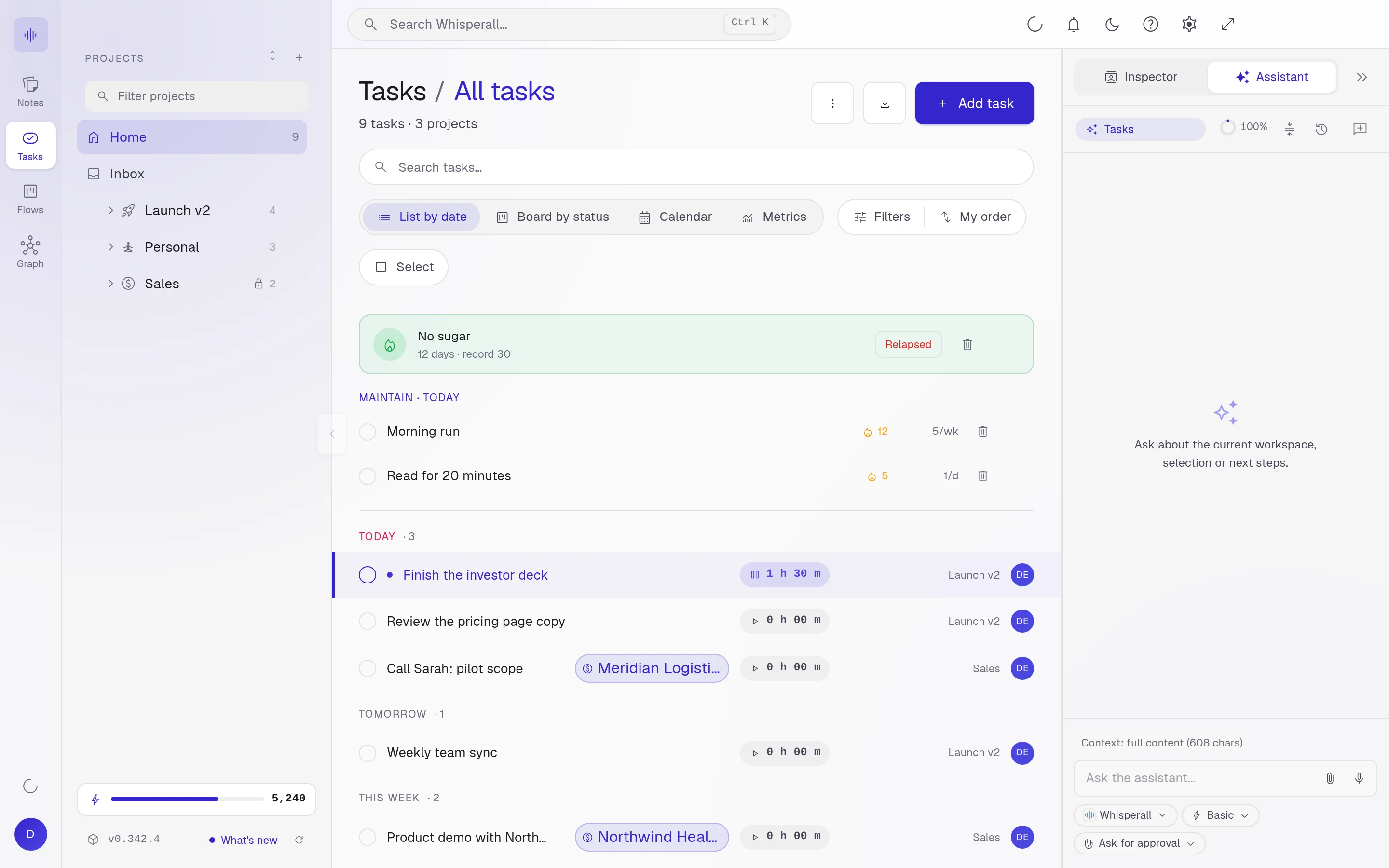
Every to-do that shows up in a meeting or a dictation can become a task with a date and a project. Time how long it takes and keep what matters today in sight.
Free to start · No card · Windows, macOS and Linux

How it works
Create or ask
Add a task by hand or ask the assistant to pull the tasks out of a note.
Give it a date and project
Each task lives in its project, with priority and due date.
Time it and finish
Start the timer and pin up to five tasks in sight on your desktop until they are done.
Four types for four rhythms
Not every to-do is the same. Whisperall splits them into four types.
- Do: a task that gets finished
- Repeat: a task that comes back on a schedule
- Maintain: a habit you want to keep
- Quit: something you want to stop doing
See them the way that helps
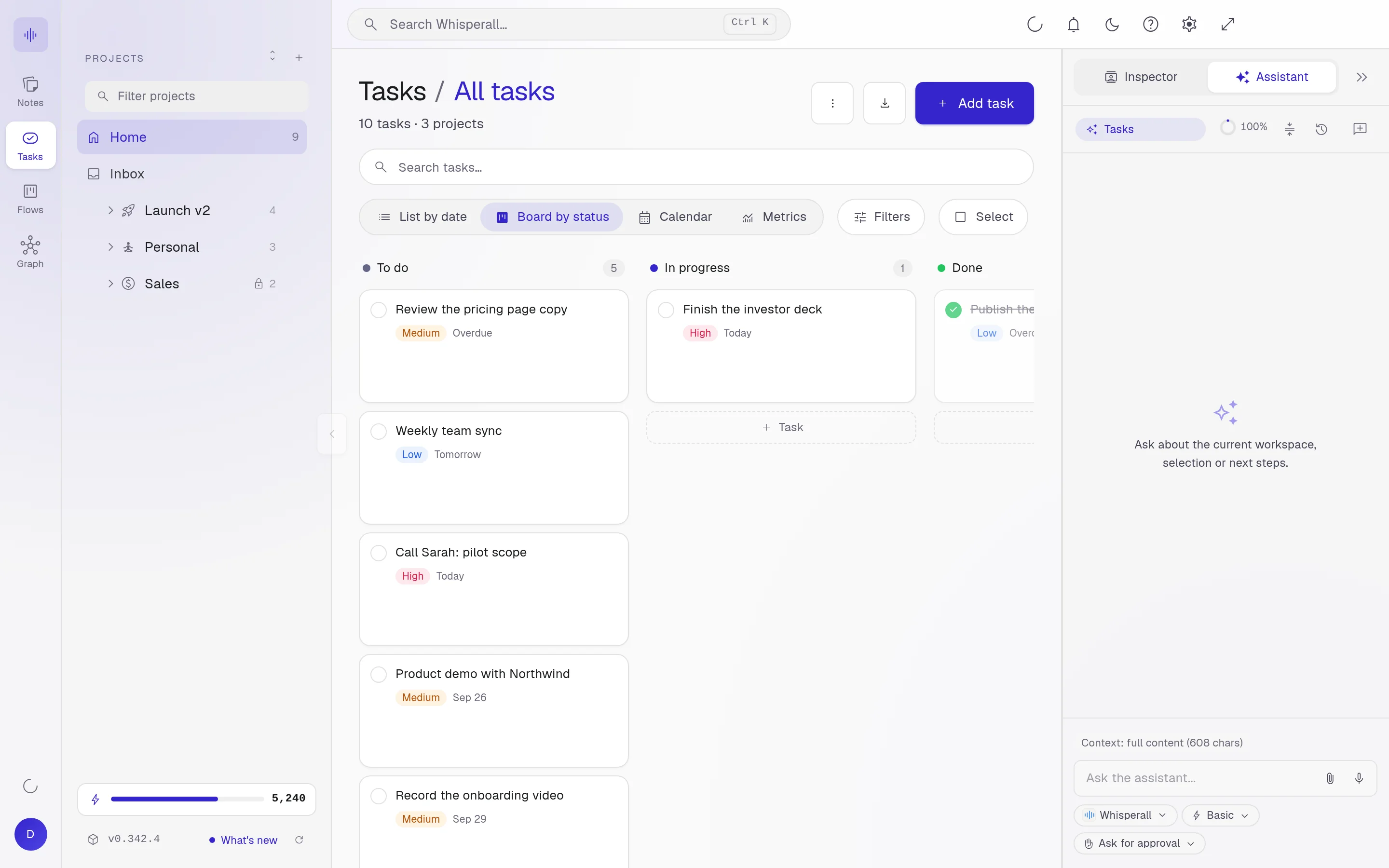
List by date, board by status, calendar or metrics. The same work from the angle you need.
Connected to everything else
You can link a task to a note or to a card in a flow. From either side you get to the other.
Frequently asked questions
Yes. Tasks, notes, flows and graph are free forever. Only AI uses credits.
Yes. Ask it to pull the to-dos out of a note and it proposes the tasks. You approve before they are created.
Do and Repeat tasks. Start it, pause it and see how long it took.
Your notes, your files, the AI you choose. You decide.
Download Whisperall free. Your notes are free forever and AI is paid with credits, only when you use it.
Windows · macOS · Linux · Android and iOS on the way

 Your AI, inside your notes