For consultants
From client call to next steps, without the after-hours writeup
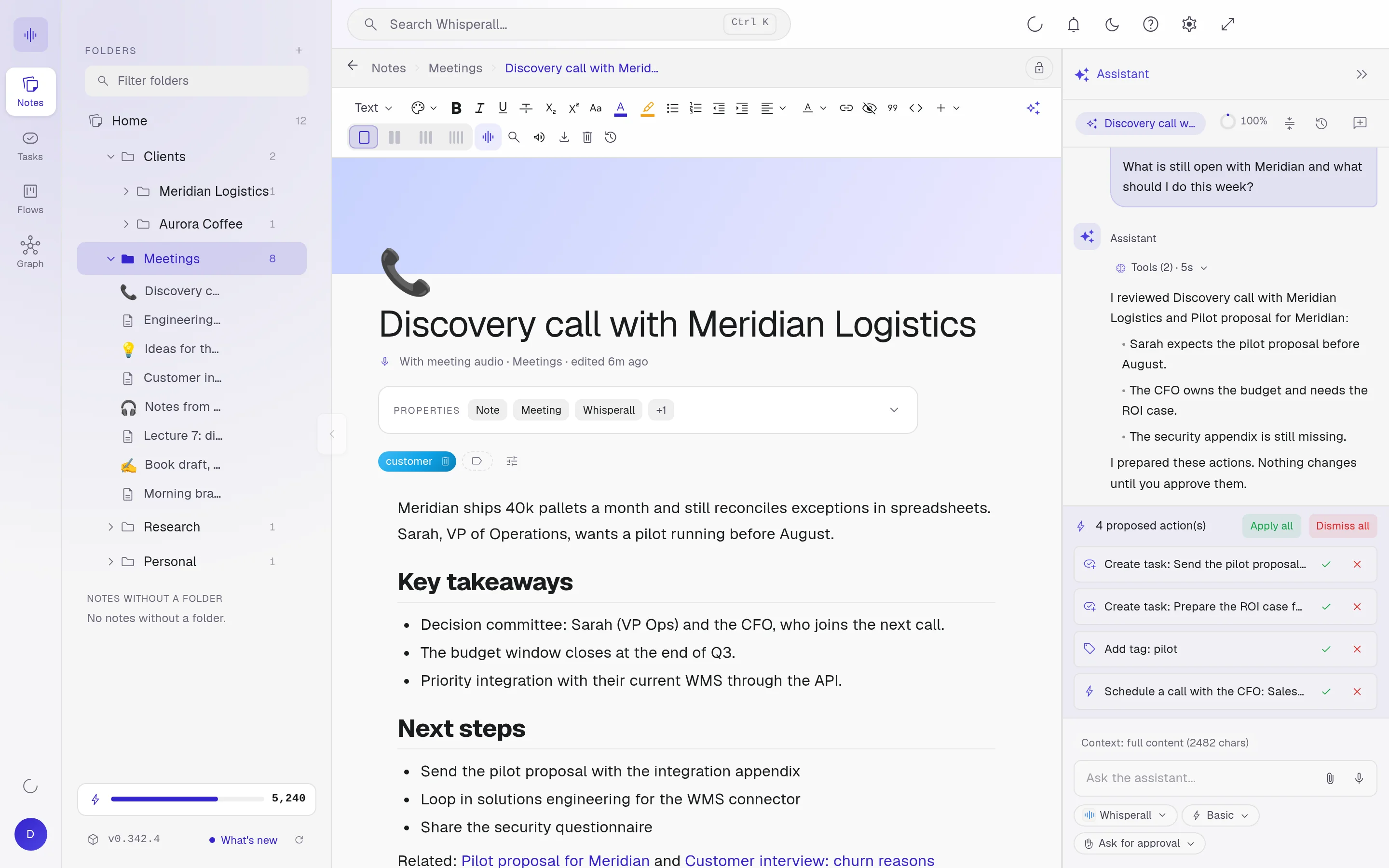
Record the call or the workshop and the transcript lands in your note with every voice separated. When it ends you ask for a summary with next steps, and the assistant turns them into tasks and moves the project forward, always with your approval.
Free to start · No card · Windows, macOS and Linux

How it works
Record the meeting
Virtual records your computer’s audio and your microphone, for video calls. In person records only the microphone, for a workshop in the same room.
Pull the action items
When it ends, ask for a summary with up to six next steps. Edit them and insert them into the note in one click.
Move the project
The assistant turns what was agreed into tasks and cards in your flow. It proposes and you approve every change.
Where consulting time leaks
Almost everything important comes out of a conversation, and almost none of it gets written down in time.
- An hour every night turning your scribbles into a proper summary
- Next steps agreed on the call that scatter across chats
- The meeting, the notes and the follow-up for each client, all in different places
No bot on your client’s call
Whisperall records from your computer, so your client sees the usual call in Zoom, Meet or Teams. It doesn’t connect to the platform or read your calendar: you start the recording.
- Every voice separated live, even on one microphone
- Live translation next to the original, in 34 languages, when your client speaks another language
- On a Mac, recording the computer’s audio needs macOS 15 or later
The call becomes the plan
The transcript becomes one more note in your notebook. Ask the assistant anything about the meeting, and it creates the tasks, cards and notes for you. It proposes and you approve.
If your client expects meeting minutes, ask the assistant to write them from the transcript with the sections you use. Then export them to Word or PDF.

A flow for every client
Follow each engagement through stages, with its notes and tasks attached. There are ready flows for projects, goals, follow-ups and sales, and every task can carry a date and a timer.
How consultants use it
A few concrete ideas for your next week of clients.
- Record a workshop and get a transcript separated by speaker
- Turn meeting decisions into tasks with dates
- Track each client through the stages of a flow
- Dictate a proposal draft between sessions
- Go back to what each person said, with the minute of their turn
- Time each task with the timer
- Ask your AI, inside the client note, what is still open, and accept only what helps
Frequently asked questions
Whisperall doesn’t add a bot or appear in the call. That’s exactly why telling your client and getting consent when the law or their company requires it is up to you.
No, you ask for it in one click, and it covers the whole meeting with up to six next steps. You can also ask the assistant what it was about: it reads the full transcript and walks you through it topic by topic, even a two-hour call.
Yes. Whisperall has no templates, but the assistant writes the minutes with the sections you ask for, from the transcript. Then you export them to Word or PDF.
Notes, tasks and flows are free. Transcription uses credits: the $9 Starter plan covers about 3.7 hours of video calls a month and the $29 Pro plan about 14. An in-person meeting uses about half, because it records one audio channel.
Yes. Turn on live translation and each turn appears translated next to the original, in 34 languages. And if you want to write to them, dictate in English and Whisperall translates it before pasting, in 12 languages.
Simple enough for anyone. Powerful enough for you.
Download Whisperall free and keep your notebook forever. AI is paid with credits, only when you use it.
Windows · macOS · Linux · Android and iOS on the way

 Your AI work notebook